For finance & accounting teams

Month-end shouldn't live in one person's head

Record the close, the payment run, or the reconciliation in your real ERP or payroll client — Stepwright captures desktop software browser tools can't see, and redacts the figures before anyone else reads it.

Free plan, no credit card. Works on Windows and in the browser.

Month-end close depends on one person who knows the order things have to happen in, and that order is written down nowhere.

Much of the work happens in an ERP or payroll client that a browser-based capture tool cannot see.

When an auditor asks how a control is actually performed, the answer is often a verbal walk-through with little to evidence it.

Procedures contain live figures, bank details, and employee data, so the person writing them up has to sanitise every screenshot by hand.

How Stepwright handles it end to end.

Stepwright documents finance procedures by recording them in the systems they are performed in. Because it is a native Windows recorder, it captures ERP, payroll, and banking desktop clients as well as web tools, building a numbered guide with a screenshot and written instruction per step. Sensitive figures can be redacted on paid tiers before a procedure is shared or filed.

01 /04

Record the procedure in the real system

Run the close checklist, the payment run, or the reconciliation in your actual ERP, payroll, or banking software. Because Stepwright is a native Windows recorder, it captures thick desktop clients and remote sessions as readily as a browser tab.

02 /04

Narrate the controls and the checks

Say the things a screenshot cannot show — which figure to reconcile against, who has to approve before the next step, what to do when it does not balance. Your narration becomes step context, so the procedure records the control and not just the keystrokes.

Recording Month-end · Close

Journal entry

March · Accruals

£62,400.00

Prepayments £28,900.00 Accrued costs £24,300.00 FX revaluation £9,200.00
Reviewer sign-off Required
A spoken note captured with the recording: “Anything over £50,000 needs a reviewer who didn't prepare it.”

03 /04

Redact the numbers before anyone else sees it

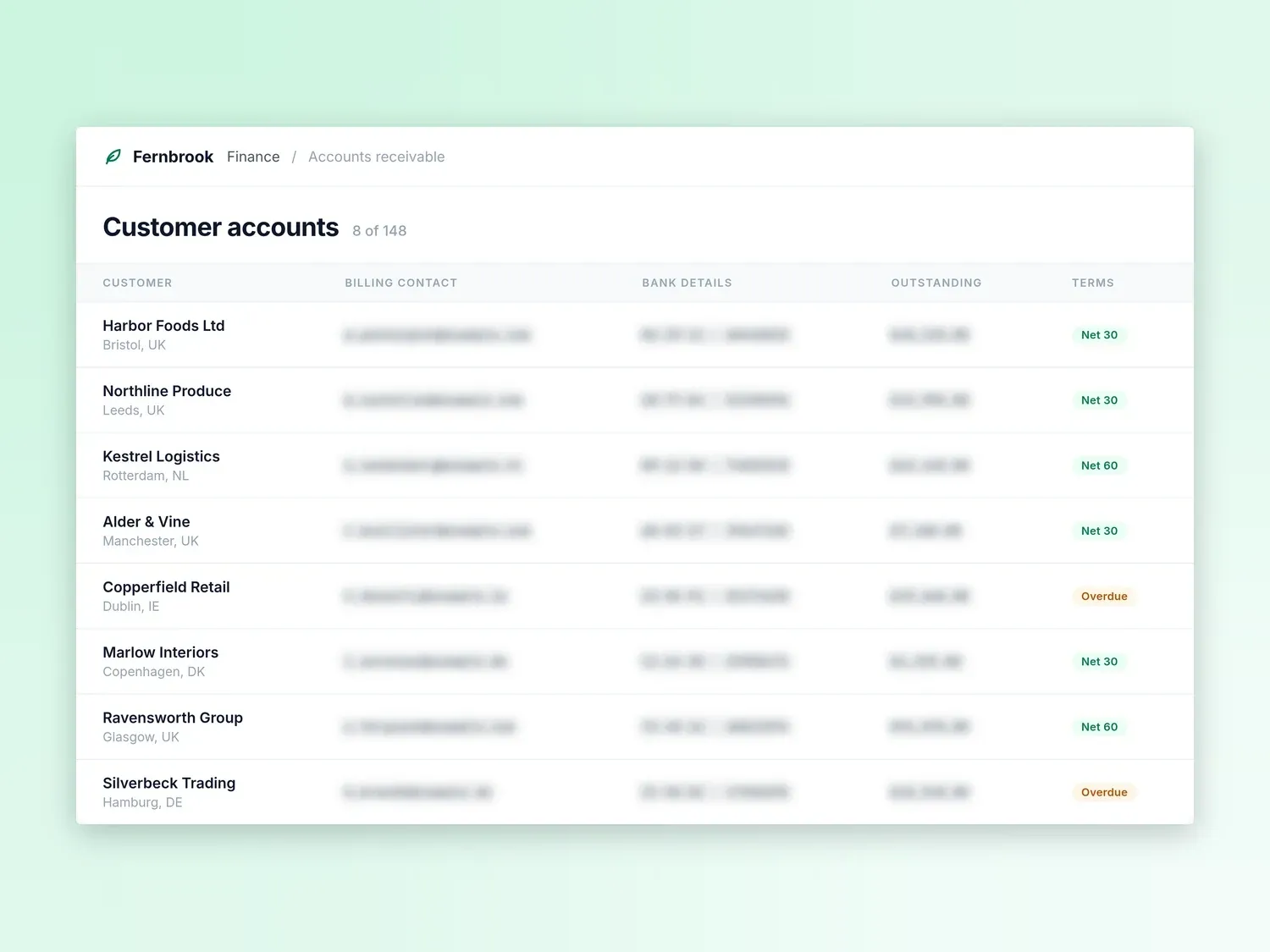
Guides are private by default. On paid tiers, redact account numbers, bank details, salaries, and live balances in the screenshots, so the procedure can be reviewed without exposing the data it was performed on.

Stepwright: redact the numbers before anyone else sees it

Redacted before sharing

24 fields

  • Billing contacts
  • Bank details
  • Balances

04 /04

Keep a current version for handover and audit

Export to PDF, HTML, or Markdown for your controls documentation or audit file, and update it in minutes when a system or a control changes — so the documented procedure matches the one actually being performed.

Stepwright: keep a current version for handover and audit

What your team gets out of it.

Close does not depend on one person

A screenshotted, narrated procedure means a colleague can run the month-end sequence when the person who normally does it is unavailable.

Captures ERP and payroll desktop clients

Native Windows recording reaches the thick desktop applications and remote sessions that finance actually runs on, which browser-extension tools cannot capture.

Evidence of how a control is performed

A step-by-step record with screenshots shows an auditor or reviewer how a control is actually executed, rather than how someone remembers describing it.

Sensitive figures stay out of the document

Redaction on paid tiers strips balances, bank details, and employee data from screenshots before a procedure is shared or filed.

Terminology transcribed correctly

Add ledger names, entity codes, and system acronyms to your custom vocabulary so spoken narration lands accurately in the written steps.

Handover that takes an afternoon

Recording each recurring procedure once gives a leaver's successor something to follow, instead of a fortnight of sitting alongside them.

Frequently asked questions.

Can Stepwright record our ERP or payroll software?

If it runs on a Windows desktop, yes. Stepwright is a native Windows recorder, so it captures installed ERP, accounting, payroll, and banking clients, as well as remote sessions into them. That is the main reason finance teams choose it over browser-extension capture tools, which only see web pages.

How do we keep balances and bank details out of the documentation?

Guides are private by default and encrypted in transit and at rest. On paid tiers you can redact the screenshots — blurring account numbers, bank details, salary figures, and live balances — before the procedure is shared with anyone or filed for audit.

Is a recorded guide acceptable as controls documentation?

Stepwright produces a numbered procedure with a screenshot and a written instruction for each step, which you can export to PDF, HTML, or Markdown and keep in your controls or audit file. Whether that satisfies a particular framework or auditor is a judgement for your finance and compliance leads, not something we can promise for you.

What happens when the system is upgraded?

Record the part that changed. Stepwright updates those steps and leaves the rest of the procedure, including your own edits, intact. That is deliberately cheaper than editing a written document, and it is what keeps the documented procedure matching the one people are really following.

Stop running finance process documentation from memory

Record one process and watch it become a shareable step-by-step guide. No writing, and the free plan needs no credit card.